

the ldap auth works great for the apps. apps dont play well with an oidc login process. i ended up using both, oidc for web and ldap fall back for applications. made it easier for my non tech inclined users. most of the current apps also support quick connect, like the plex link process. you auth on a web browser and enter a code into the app. so it’s possible to use only oidc for log in and, i believe it should be possible use css to even hide the user name and password fields.
- 1 Post
- 17 Comments
Joined 29 days ago
Cake day: June 7th, 2025
You are not logged in. If you use a Fediverse account that is able to follow users, you can follow this user.
honestly every explanation probably just ends at ‘this is what i learned on and it works’. same way i religiously use nano and try to do everything in bash first. or how a couple coworkers can’t stop explaining their vim workflow and defending python unprompted like it’s a trauma response for them. my current homelab is also running a r9 with 64gb ram and 30tb storage. if i were paying for remote hosting, still using salvaged hardware or being paid, i’d invest time learning newer processes. but containers haven’t caught my interested and this set up takes basically no effort on my part to maintain, so i can focus my limited free time elsewhere.
there’s been a LOT of progress on jellyfin, especially the past year or so. i’ve been using plex since it forked from xbmc, it ran on the bottom half of a laptop connected to a mostly working projector, both rescued from a dumpster. it’s been a fantastic platform for a long time. but i’ve also wanted off plex since they rolled out the plex account req. jellyfin is finally there for me at least.
https://github.com/jellyfin/Swiftfin i’ve got 5 apple tv users, two android tv and one webostv
if you use the oidc connection and apps that support quick connect you can do it. you basically end up doing things like the plex link process that got implemented when they forced everyone into their authentication service. i almost went that route but opted to leave the password auth from ldap in. its the kind of log in process most people are used too and i’ve got a few elderly users. i disabled password reset in authentik though and everyone gets a 3 word 24 char minimum password.
https://github.com/jellyfin/Swiftfin is available for tvOS. works great for me with one bug. since i have homepods connected to one of my apple tv’s as it’s speakers. i had to change the setting to use the native video player instead of vlc to avoid and audio delay bug. that cost me the auto play next episode function. i though not auto playing the next episode would annoy me, but it’s turned out to not be a issue at all. but infuse doesn’t include that bug if you want both homepod tv speakers and auto play next episode with jellyfin. as for security, since jellyfin is more modifiable it has a lot more room for misconfiguration for sure. plex had plenty of it’s own security issues, we just only heard about them when some security blogger discovered it.
i ended up doing both. ldap for the apps. oidc for web based users and the apps that support the quick connect feature. the local user account system works fine too, and ldap would be enough. i just wanted an excuse to play round with sso systems, and it was fun figuring out how to connect all my servers.
authenik has a good docs site for both it’s docker container and connecting it to jellyfin. Authelia looked interesting too.
it’s just what i’m comfortable with. started playing with linux servers before docker existed. i’ve got frigate and authentik running in docker, but if i have the option to run something outside docker i still prefer that.
https://github.com/intro-skipper/intro-skipper
*edit it’s such a common complain this got posted twice at the same time :)
plex is still definitely easier to get started on. i don’t begrudge anyone still going that route, i had a lifetime plexpass the last 8yrs i think. jellyfin is a great option if you either already know how to set things up and want full control. Or you’re looking for an opportunity to learn more about reverse proxy, dns and authentication/access systems. plex is still i nice gateway drug.
that’s about where i was at for a long while. manet finally replaced my apple carplay functionality from plexamp and plex lost it’s last advantage for me. i definitely got my moneys worth from that lifetime plexpass though.
authentik is an identity server. theres a couple free ones available, this one just worked for me. it provides oauth and ldap fallback for the jellyfin server. along with login for most of the other servers i host like nextcloud/calibre-web/lychee etc. it has a nice easy log in process along with a ‘homepage’ kinda thing for everything my users can access with their account. makes it easier to support the non technical friends and family.
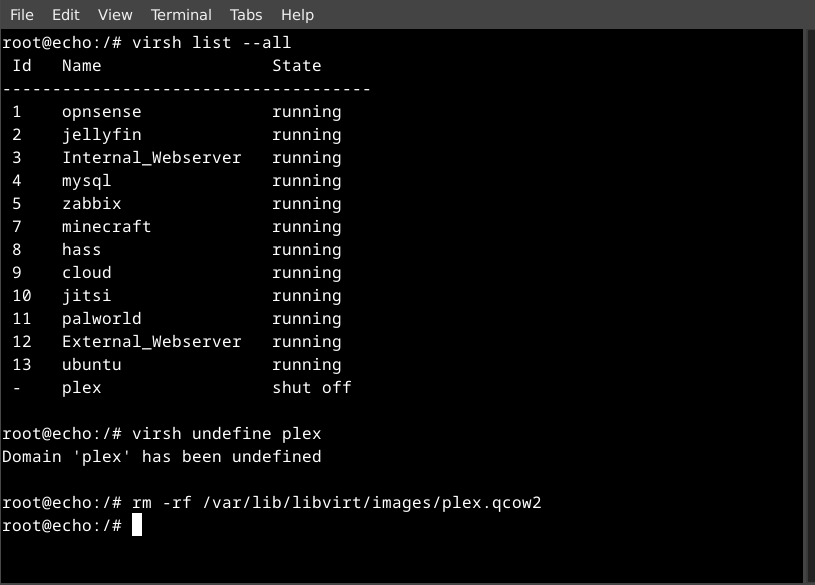
it’s mostly debian 12 or ubuntu 22 lts vms, i’m slow dumping ubuntu. so it’s all cron jobs running apt update and bash scripts for specific services like the minecraft server. i’m just old and have spent so much time modifying xml in nano that sticking with virsh has worked for me. i’ve only got two containers running in docker, frigate and authentik.
swiftfin has reach what i’d call stable on apple tv. its a little janky still with homepods used as speakers. i had to switch the nativeplayer to avoid an audio delay bug. the native player doesn’t support auto play next episode. so far thats the only issue ive had. infuse doesnt have that bug but the issue hasnt annoyed me enough to need infuse. all my other uses are on android tv or webos and have had no complaints. for music, manet has good carplay functionality so its made a nice replacement for plexamp.
yeah it took me about 6 months with jellyfin to feel like i was ready to finally kill plex. the thing that finally did it was getting an email from plex asking if i’d like to check out whats streaming on hbomax.
symfonium has been mentioned in this post before specifically for android auto. i had the same hang up with apple car play. i didn’t use most of the plexamp fancy features. i just wanted it to play music and be easy to use when driving. manet finally came along for ios. though i’m still hoping one of the open source apps adds the functionality later.