Sudo rm -rf .
DOS user detected! In linux you don’t need
*.*, you can just use*Maybe he wanted to remove only files with a dot in the name
And if he’s on / (root) on most common distros, there won’t be any dirs with . (dot) in their name. Unless this matches the dot from the cwd, in which case this is the same as “rm -rf /“? Now I’m curious, I don’t often perform operations on the cwd using dot.
At least bash doesn’t seem to match it…
gregor@raspberrypi:~ $ ls bridge navidrome seed traefik gregor@raspberrypi:~ $ ls *.* ls: cannot access '*.*': No such file or directory gregor@raspberrypi:~ $ cat *.* cat: '*.*': No such file or directoryRight, so then if asterisk wildcards don’t match on . and … then, in most common distros where there is no dot in any of the top level dirs in /, “rm -rf *.*” in the top level / dir is basically harmless and likely a noop.
So OP is wrong.
Technically, it says he’s in the
~directory, which would usually be/home/god, but even in there there aren’t usually any directories/files with a dot.~ has many dot directories and files
God programmed the universe into DOS
This explains a lot.
Going to point out that not only is *.* unnecessary, but he’s in ~ (home) so assuming it even worked he just deleted his home.
maybe his $PS1 just happens to have a tilde in it
Well, guess that’s it for heaven
well, depending on your shell
Which shell interprets * as everything before extension?
Well I’m not necessarily commenting on the
*.*but*will skip .files in bash.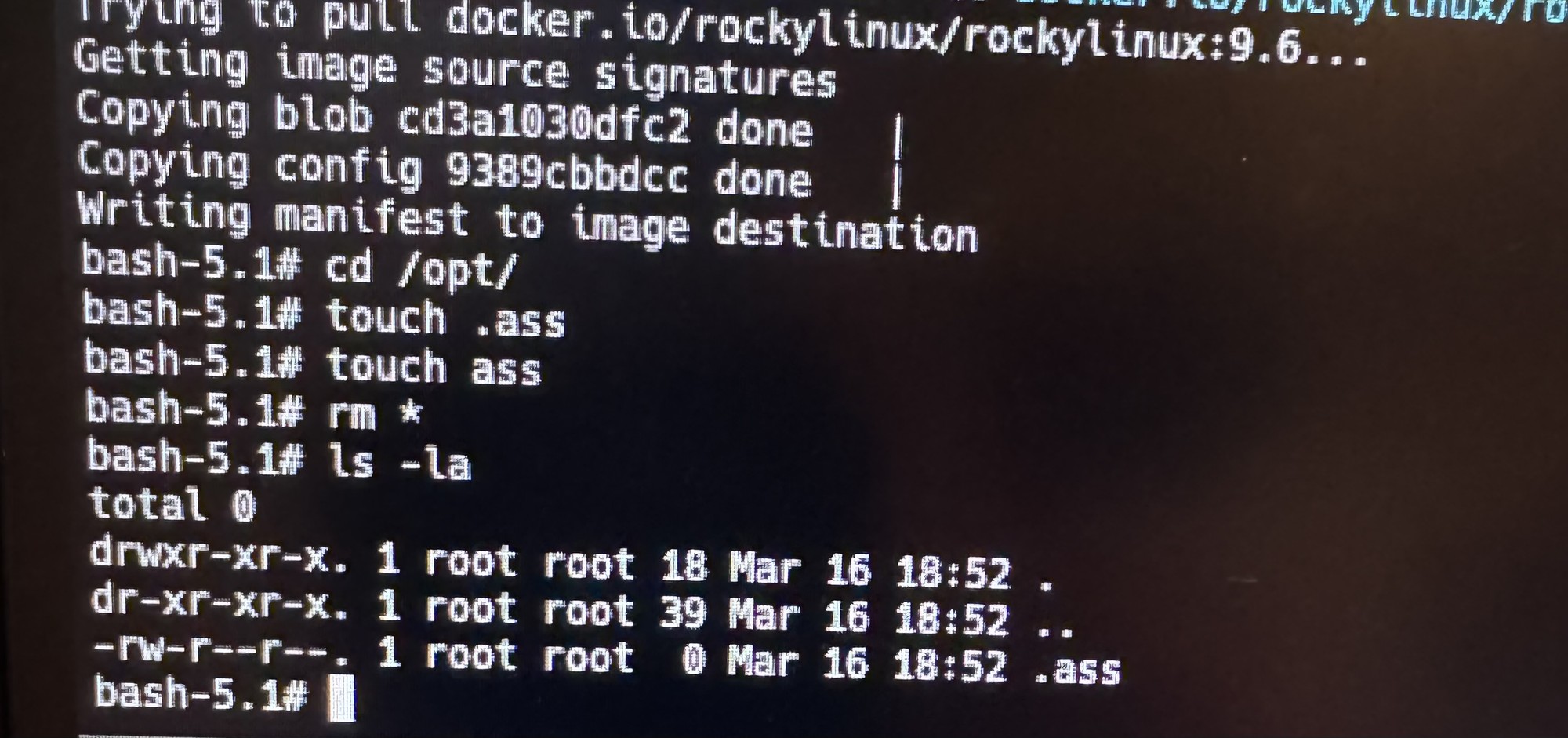
I think *. * also skips them
*.*will likely expect a file named*.and then delete any file globbed, but still leave dotfiles. At least in bash.In my shell it would just error at me and then I’d be mad
fishdoesn’t work likebashin this specific case
Decades ago I ran an “rm -fr *” as root, I thought that I was ~/bin, but I was in /bin. That was a fun lesson.
Production system, first day, did it at / and it wasn’t until I saw /bin scrolling by that I realized my mistake.
Luckily it was a stateless system and a reboop brought it back but i learned a valuable lesson that morning.
reboop
I got into this bad habit of trompsing around as root on our dev systems at work because who gives a shit we abuse and reprovision those systems all the time.
But then I find myself at home on one of my home servers or desktops fumbling around as root. Because I don’t want to constantly run sudo. Fortunately nothing bad has happened, bad enough to be memorable anyway, in the last 20 years or so. I guess I’m still pretty careful. Or lucky.
That’s not how you remove the French
There’s an ancient UNIX copypasta that’s basically the plot of this comic, but it’s troublingly hard to find the original online.
Here’s one version I found: http://www.anvari.org/fun/Web_Tina/CREATION.html
I don’t remember “technocrat” being part of the original, but it wouldn’t be the first time my recollection has been wrong.
Hahaha that’s funny
resizepart 1 128Instead of 128GiB …bad daySilly god! You just had to
chattr -i!“All-knowing” my ass. Half-baked deity can’t even gentoo.
Well, you can’t call yourself a computer expert until you erase your entire drive or make it unbootable at least 3 times.
Well I’m 2/3 the way to being a computer expert (Technically I would be at 3/3 at least, but taking bad updates is a repeate and doesn’t include me messing around with stuff)
Don’t forget to add the
-vto see the apocalypse unfold in real-time!Alabado sea El Omnissiah.
- El Señor Archmagos Miguelito Malparido Hijo de Puta VII
Thats what this is for:
tail -f earth.log
Even God is trying to remove the French
I found this magical command to send 50kb of random text data to meta’s server to fill up their database with garbage data. I don’t know how to do it on massive scale but at least I am doing my part by running this command 24/7 :)
while true; do echo "$(openssl rand -hex 500000)" | netcat instagram.com 80 & disown; done;love it :D
Aren’t you just providing them with free pseudo-random data, while reducing the randomness of your own system?
I once read somewhere 30 years ago to literally sit on your hands when doing stuff like that.
I have followed this advice since, and confused a lot of co-workers over the years when i stop what i’m doing and sit on my hands while i re-read what is on the screen.
humans make mistakes, and sometimes mistakes are really really not what you want. everything that helps is a good thing :)
did that once but instead ran
rm -rf /instead ofrm -rf ./